
Your TCG POS system, in your pocket.
Designed to support a range of TCG sellers: as simple as a single vendor at card shows or as complex as an entire storefront. A register on your iPhone, a kiosk your customers browse, and your stock online wherever you are.
Built for Pokémon cards today. More games are planned.
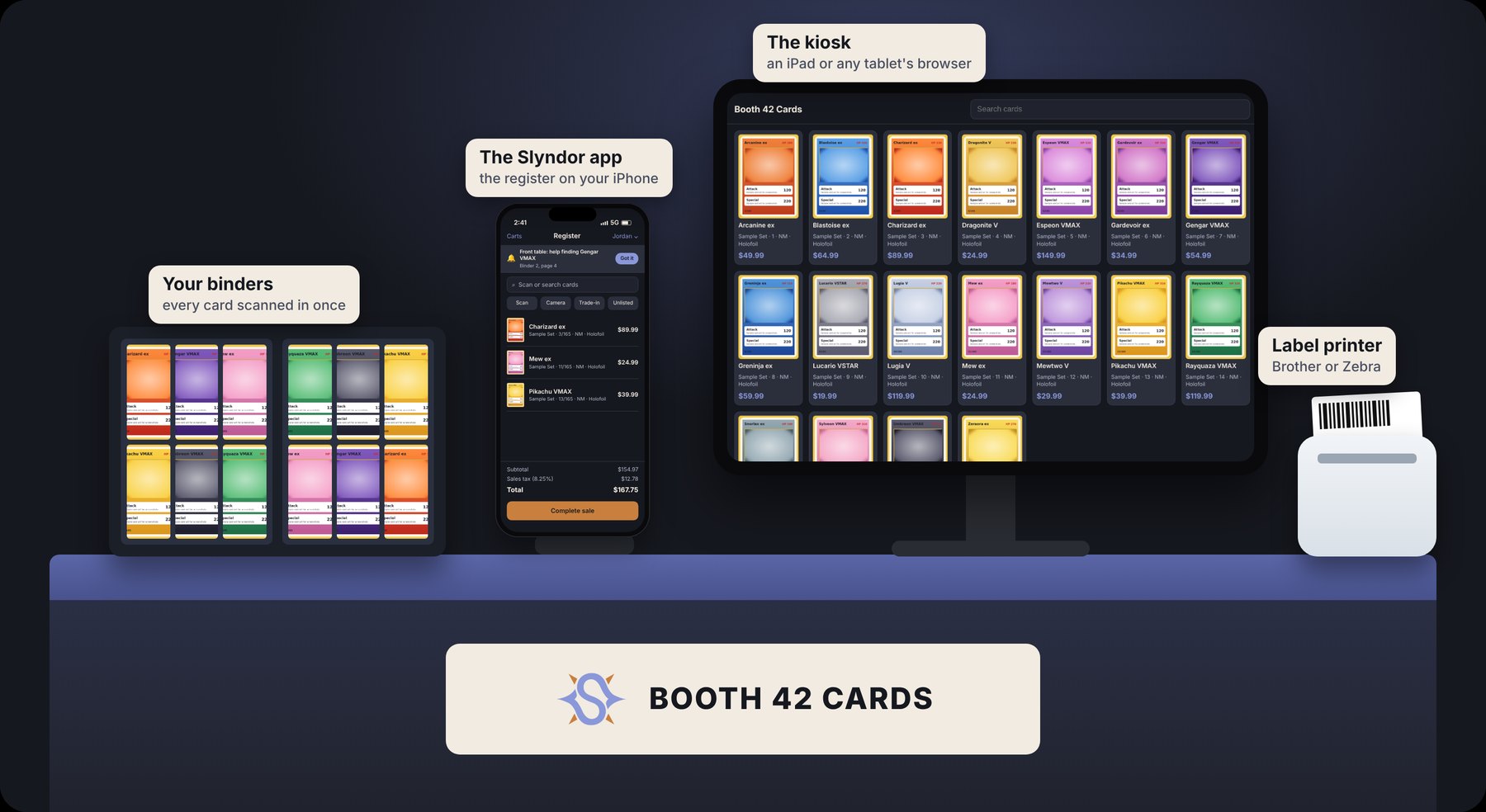
The Slyndor ecosystem
Start with an iPhone and add what your table or store needs. Tap any piece to see what it does.
Built for how you sell
The things vendors ask about most, each with its own section.
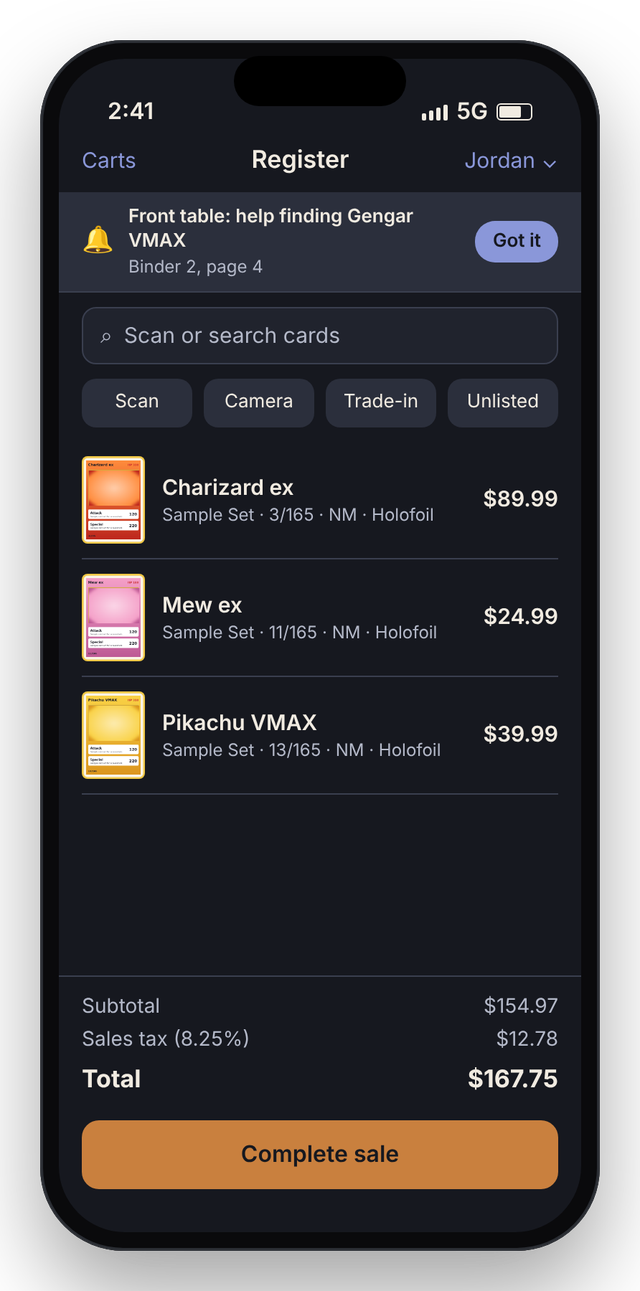
The Slyndor app, the register on your iPhone
Ring up sales, take trades, add stock and get pinged when a customer needs you. It keeps selling with no signal and catches up later.
- Cash, card or QR payments, with sales tax
- Several phones share one cart at a busy table
- Offline selling for up to 2 days
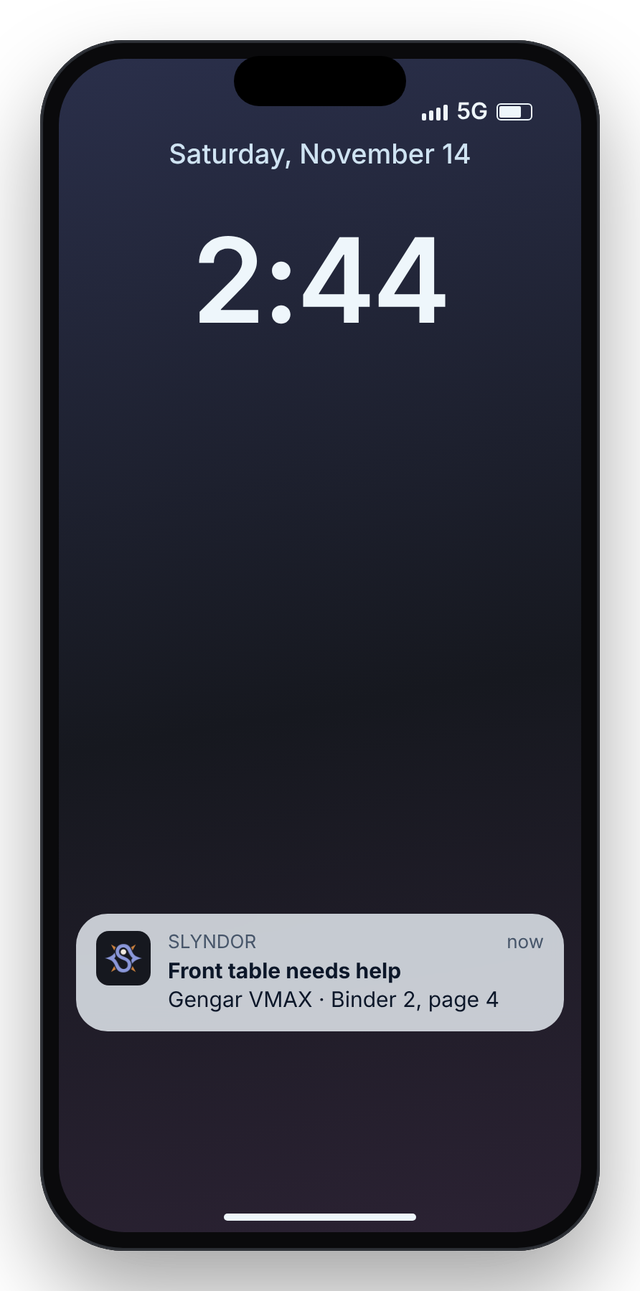
- Help requests from the kiosk, even when the phone is locked
On every plan: 1 iPhone on Basic, 5 on Stage 1, as many as you like on Stage 2.
The Slyndor app is for iPhone and iPad. On Android, run your shop from the web admin in your browser.
A kiosk your customers browse
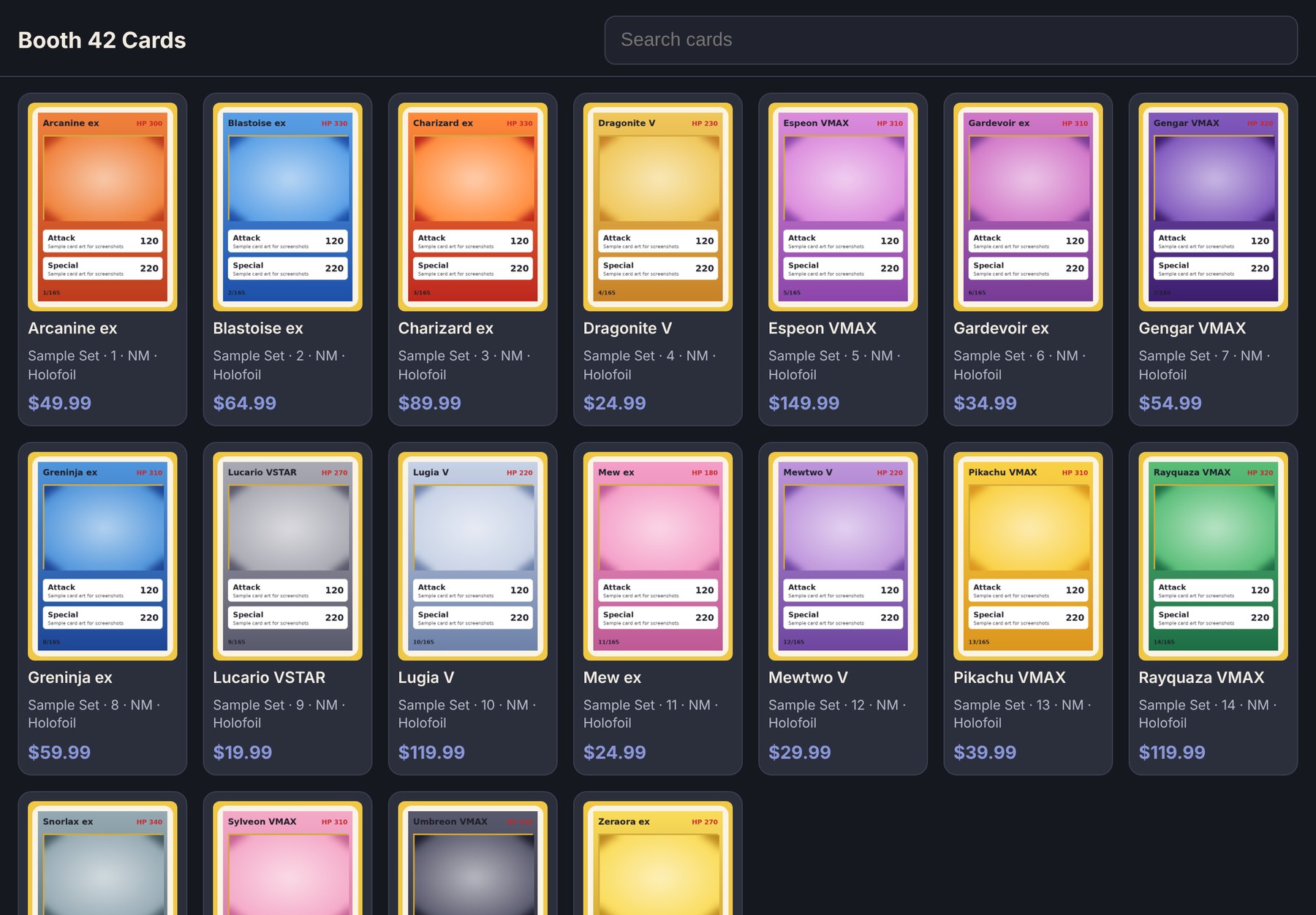
Every card you have in stock, with pictures and prices, on an iPad or any tablet's browser.
- Customers search and tap a card to ask for it
- Hide prices or show quantities, your choice
- Pair in seconds with a 6-digit code
1 kiosk on Basic, 2 on Stage 1, as many as you like on Stage 2.
The whole shop on a computer
For a storefront, or a booth with a laptop: the register, inventory, intake, card shows, labels and cameras, working even without internet.
- Offline card identifier, right on the computer
- Consignment with any number of owners, and payouts
- Security cameras and USB barcode scanners
- Show Prep packing labels for your supply boxes
On Stage 2.
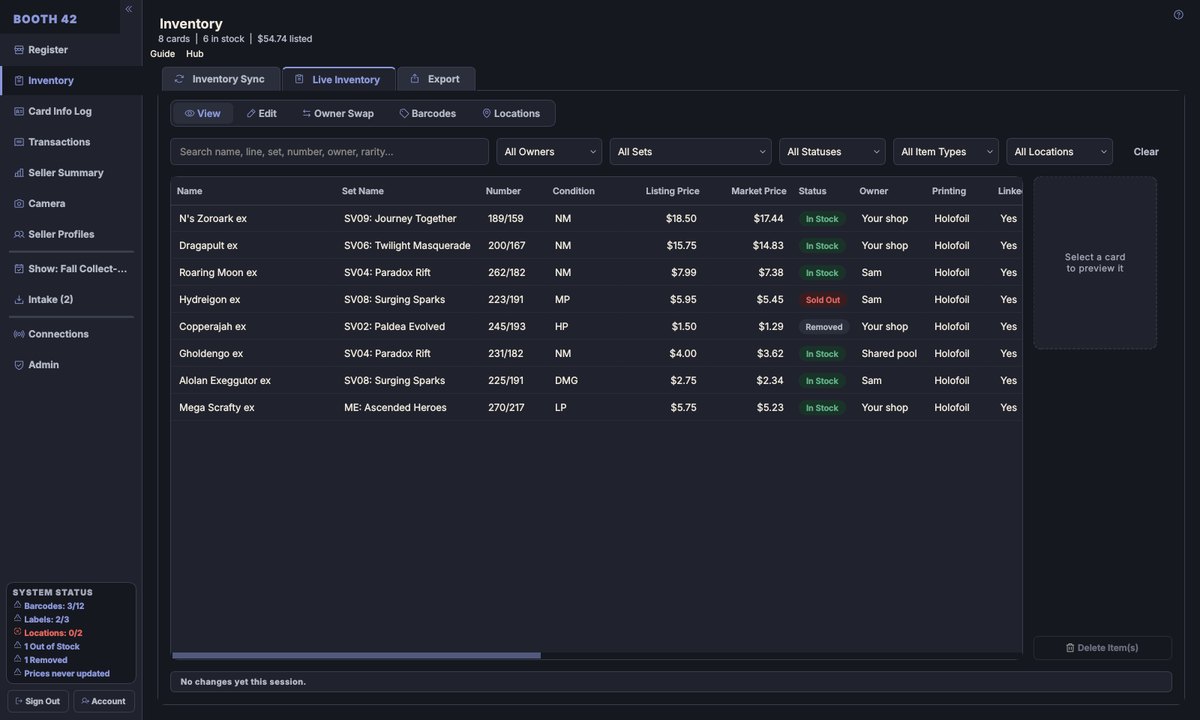
Today's desktop app, with sample cards. The official version is on the way.
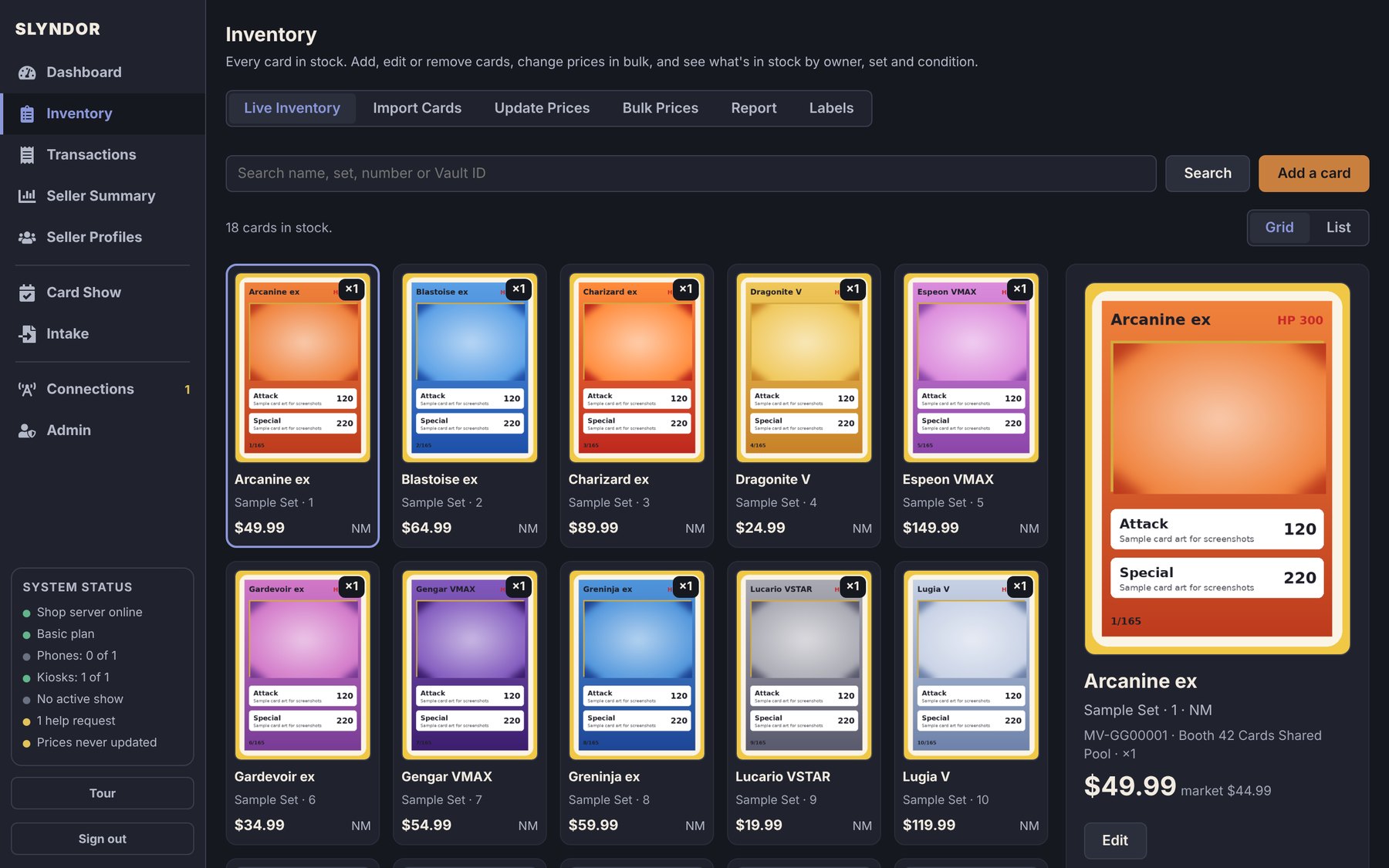
Your shop from any browser
Log in on a laptop to see the dashboard, import a TCGplayer CSV, change prices in bulk, and manage sellers, kiosks and shows.
- The sales dashboard: today, this week, this show
- Import Cards from a TCGplayer CSV
- Label and receipt designs
- Download your sales any time
On every plan.
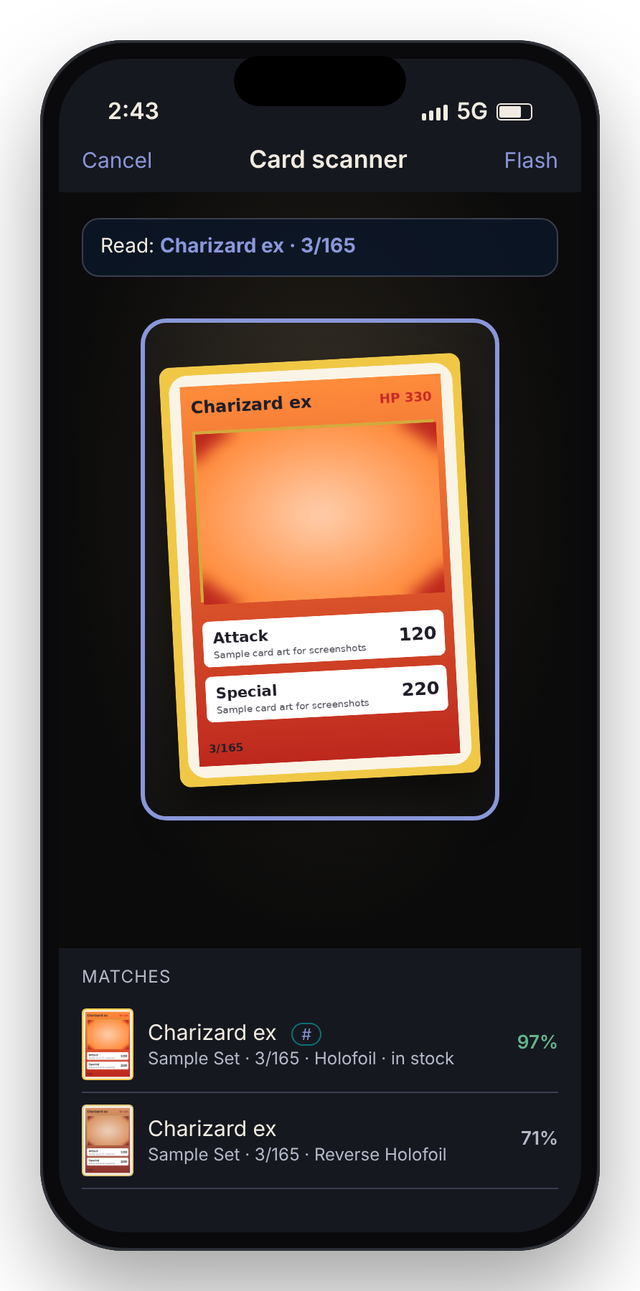
Point the camera, find the card
The card identifier reads a card's name and number and picks the right printing, even in a sleeve.
- Works from the phone's camera
- Reads the number (“125/197”) as well as the picture
- Offline on the desktop app
Online on every plan; offline with the desktop app on Stage 2.
Printers, scanners and cameras
Add the hardware your table or store needs. You don't need any of it to start: an iPhone is enough.
- Barcode and price labels
- Receipts at the counter (coming)
- Security cameras on the desktop app
Label printing on every plan; cameras and USB scanners with the desktop app.
Label printers
Brother QL-820NWBc or Zebra ZQ220 Plus from the phone; Brother QL by USB on the desktop. DK-1209 labels.
Receipt printers Coming
Print receipts at the counter or the table, as well as emailing them.
Security cameras
USB cameras on the desktop app watch and record the counter and the cases.
Barcode scanners
Any USB scanner that types what it reads works with the desktop app.
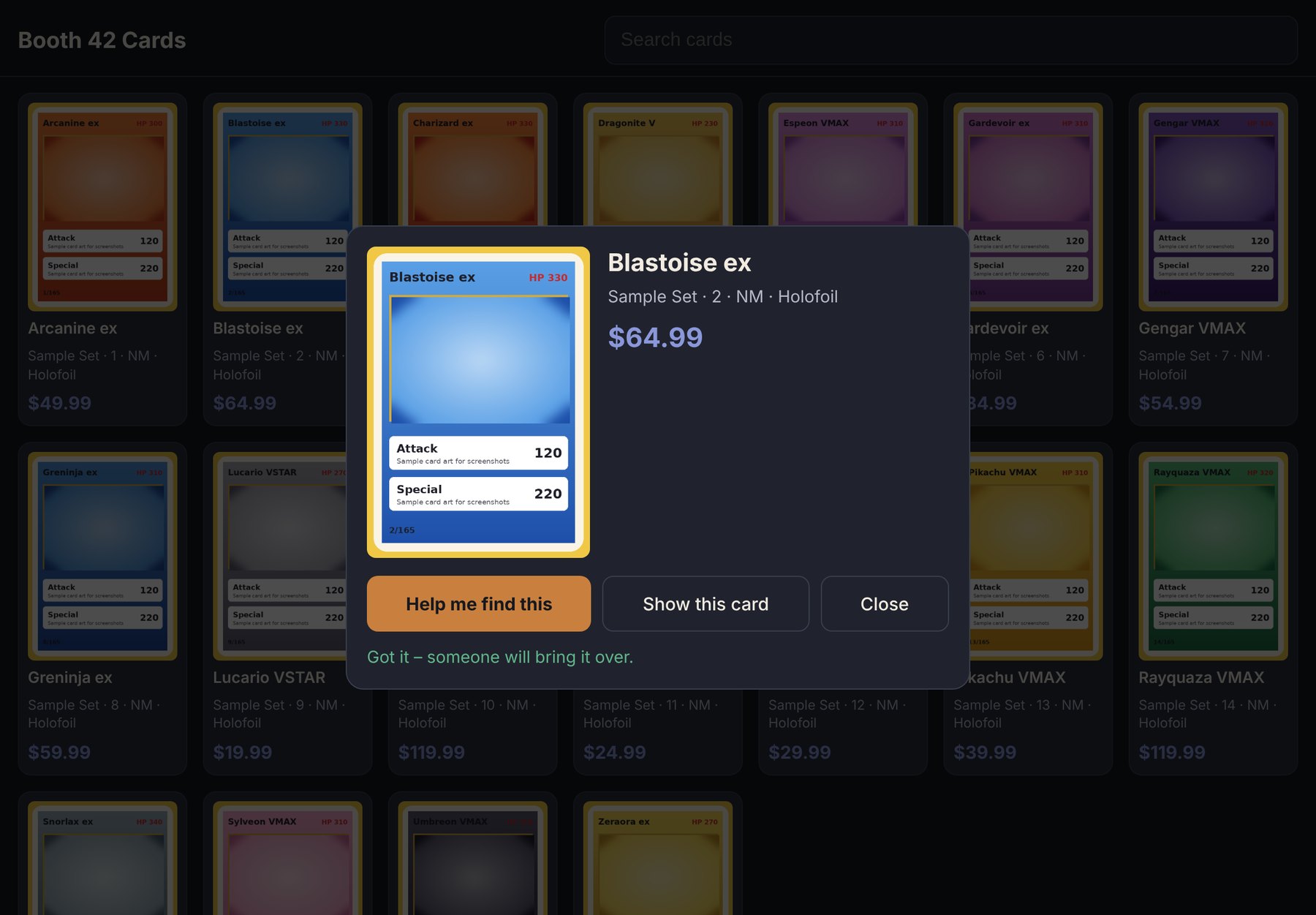
Customers ask, your phone buzzes
A customer taps a card on the kiosk, and every phone gets the request with where the card is, even when it's locked in a pocket.
- The card, its price and where it's kept
- Tap “Got it” so nobody doubles up
- Works on an iPad or iPhone kiosk, or any tablet's browser
On every plan with a kiosk.
Several sellers, one table
Every card knows whose it is, so a shared booth can sell as one and still pay each owner what they're owed.
- Owners on each card, set at import or intake
- Payouts show what each owner is owed
- Vendors can see only their own cards and sales
1 owner on Basic, 3 on Stage 1, any number on Stage 2.
Payouts this week
| Owner | Sold | Owed |
|---|---|---|
| Your cards | 14 | $412.00 |
| Sam | 6 | $188.50 |
| Jordan | 3 | $64.25 |
Sample numbers. Every card knows whose it is.
Plan, run and recap each show
Add your shows, start one on the day, and every sale is tagged with it. Afterwards, see what sold and share a recap.
- What sold at each show, and how
- Recap and “next show” pictures in a tap
- Show Prep packing labels for your supply boxes on Stage 2
On every plan.
Fall Collect-A-Con
A recap picture to share, and a “next show” one to post before it. Sample numbers.
Keep selling with no signal
Convention halls drop out. The Slyndor app keeps selling for up to two days and catches up when you're back online.
- Sales, trades and the card list work offline
- Nothing is lost or counted twice
- The desktop app works offline too, on Stage 2
On every plan.
Back online, they go up by themselves. A card sold twice while offline lands in Needs review for you to sort out.
Plans for a single table up to a whole store
Basic for a solo table, Stage 1 for a crew, Stage 2 for a shop with a computer.
The kiosk and the browser pictures are real screenshots of a test shop, and the desktop one is today's app. The phone screens are drawn to match the app. Card pictures are sample art.